Automatically transcribe, review, edit, and export captions using private AI that runs locally on your Mac
Automatically transcribe, review, edit, and export captions using private AI that runs locally on your Mac.

Caption Comet automatically detects the spoken language, corrects likely transcription hallucinations in the background, and gives you precise control over text, timing, and appearance. Your media stays on your Mac: no account, API key, cloud transcription service, or subscription required.

DUAL-MODEL REVIEW

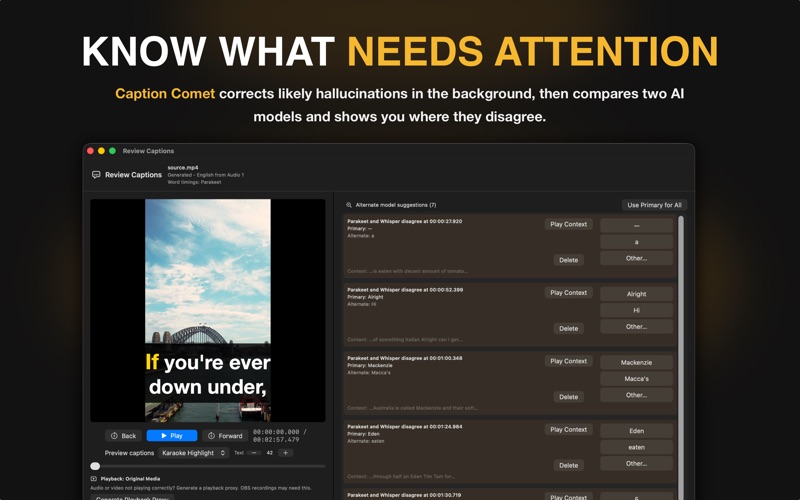
For supported languages, Caption Comet independently transcribes your media using two different AI models, compares the results, and shows you where they disagree.

Instead of blindly proofreading every caption, jump straight to the places most likely to need your attention.

Dual-model review is available in Project Mode and for individual files using Review Before Export in Quick Mode.

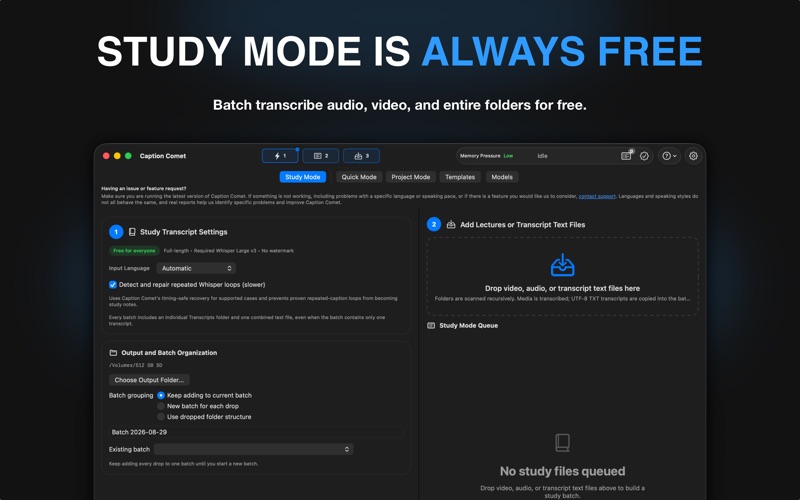
STUDY MODE IS ALWAYS FREE

Batch transcribe audio, video, and entire folders with no 30-second limit. Combine folder transcripts for easy studying or summarization, or extract text from existing subtitle tracks.

Study Mode uses study-friendly timestamps rather than precise subtitle timing and is designed for lectures, classes, interviews, research, and other material you want to read, search, or summarize.

No Pro purchase is required.

MAKE CAPTIONS YOUR OWN

• Traditional, karaoke, and word-by-word captions
• Custom fonts, colors, sizes, outlines, shadows, and backgrounds
• Drag captions exactly where you want them
• Add watermarks and QR codes
• Save reusable styles as templates
• Burn captions directly into finished video

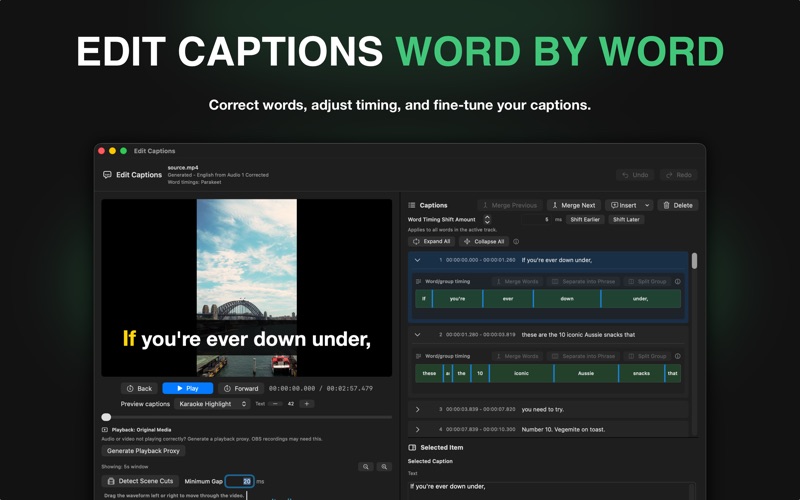
EDIT CAPTIONS WORD BY WORD

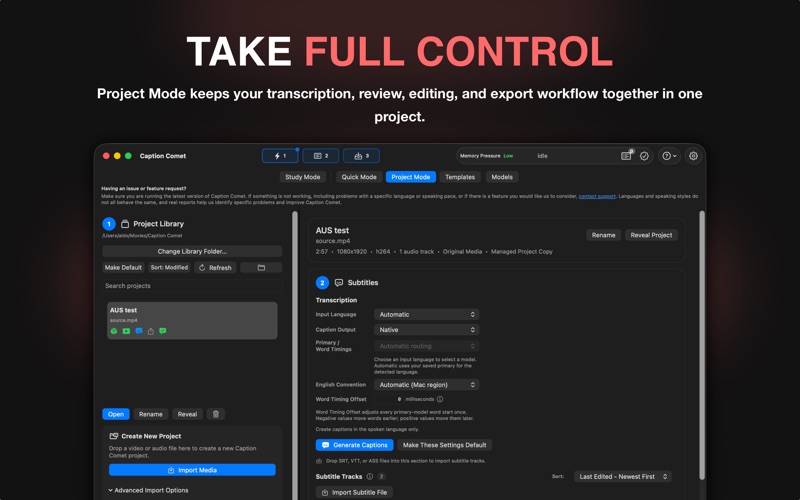
Correct individual words, adjust timing, split and merge phrases, preview changes with your video, and shift generated captions earlier or later with precise Word Timing Offset controls.

QUICK MODE AND PROJECT MODE

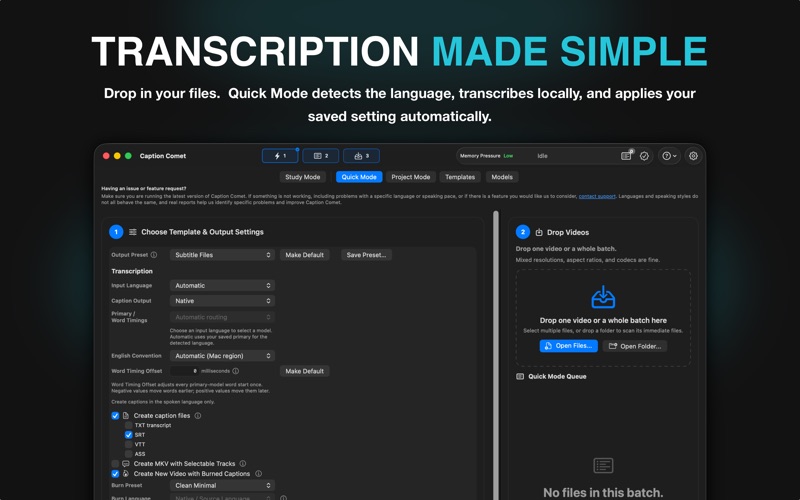
Quick Mode makes everyday jobs simple: choose reusable output settings, drop in files or folders, and let Caption Comet automatically detect the language, transcribe, and export. Batch jobs can mix resolutions, aspect ratios, containers, and codecs.

Project Mode provides the complete editing and review workflow for videos that need more attention. You can also batch files into editable projects and review them individually.

SIMPLE MODEL SETUP

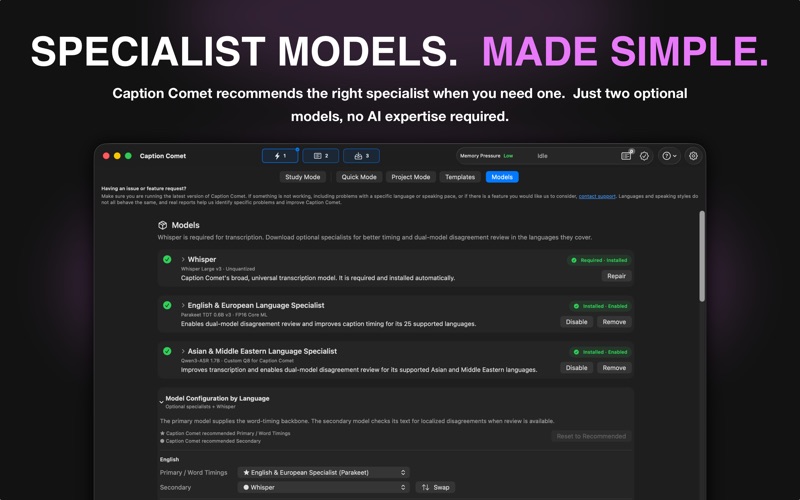
Whisper Large V3 provides broad language support. Two optional specialist models expand dual-model review:

• Parakeet TDT 0.6B V3 for English and European languages
• Qwen3-ASR 1.7B Custom Q8 for Caption Comet for Asian and Middle Eastern languages

You don’t need to understand AI models. Choose the languages you need and Caption Comet tells you which optional model to download.

Caption Comet supports all transcription languages available through Whisper Large V3. Dual-model review is available for languages supported by a specialist model. Whisper can also translate supported spoken languages into English.

PRIVATE, LOCAL, AND BUILT FOR APPLE SILICON

Transcription happens locally. Your media does not need to leave your Mac.

Caption Comet supports Apple Silicon Macs with 8 GB of unified memory or more.

EXPORT

Export SRT, VTT, ASS, and TXT files, create MKV files with selectable subtitle tracks, or burn styled captions directly into finished videos.

FREE, TRIAL, OR LIFETIME PRO

Free Mode lets you transcribe and edit complete videos, with exports limited to the first 30 seconds and a Caption Comet watermark on burned video.

Every installation includes an optional 30-day Pro trial that begins only when you activate it.

Study Mode remains free without the 30-second transcript limit.

Upgrade to Lifetime Pro for unlimited exports, no Caption Comet watermark, and the complete Pro feature set.

One purchase. No subscription. No recurring fees.