Style

Screenshots
10 screenshots Grid- Version
- 1.2.0
- Size
- 146 MB
- First release
- Oct 23, 2026
- Category
- Developer Tools
Description
from the App Store listingMarkdown Loft is a calm, fast Markdown previewer and editor for the Mac. Open any .md file and it renders instantly: clean typography, real tables, task lists, and syntax-highlighted code, in a quiet interface that keeps your content front and center.
The free version is a complete Markdown app, not a trial: read, write, and save as much as you like. No account, no subscription, no nagging.
FREE
Everything you need to read and write Markdown beautifully:
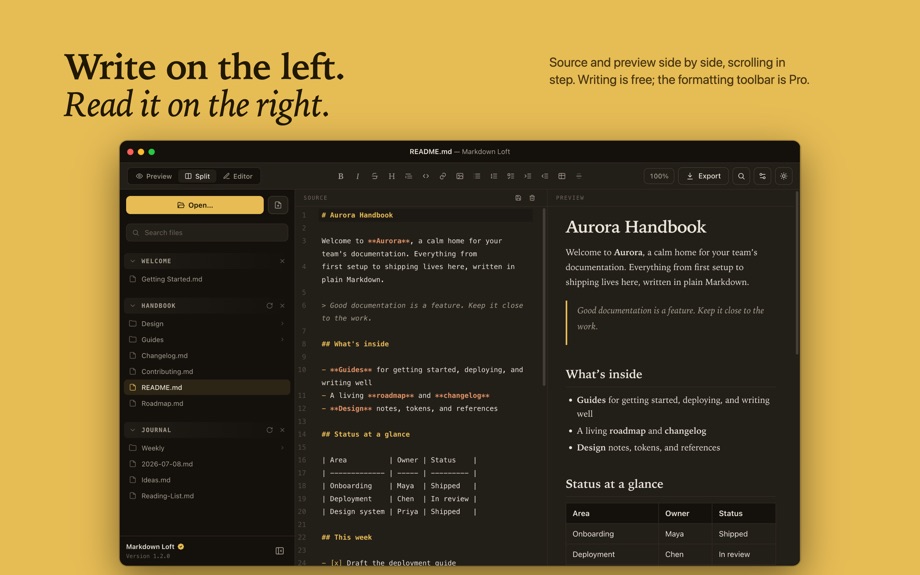
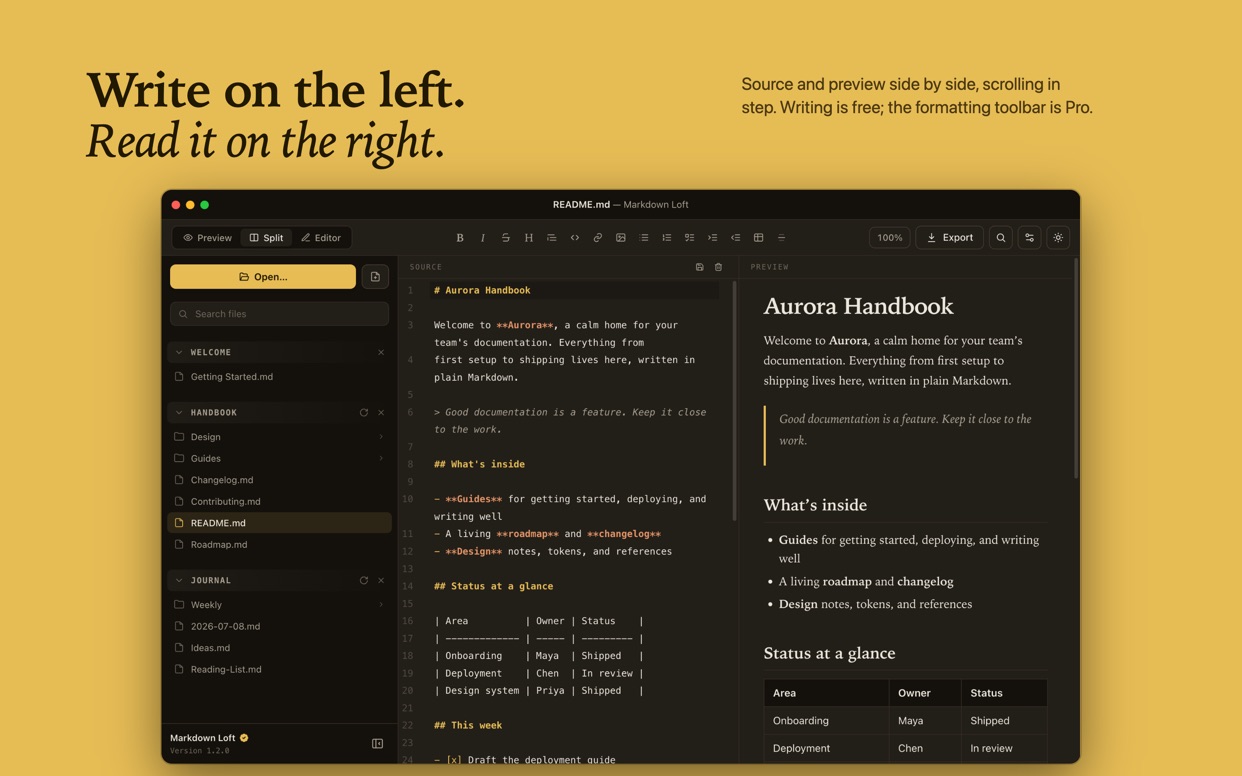
• Open and preview any Markdown file (.md, .markdown, .mdown, .mkd) with clean, book-quality typography
• A live editor: write in Split or Editor Only view, with the two panes scrolling together line by line
• Tabs: keep several documents open at once, drag them into the order you like, and find them all there when you come back
• Lists that indent the Markdown way: Tab and Shift-Tab nest and lift items, renumbering numbered lists as they go
• Create, edit and save Markdown files — the free version is a complete writer, not just a reader
• Live preview that refreshes on its own the instant a file changes on disk
• Rich rendering: headings, tables, task lists, blockquotes, images, and nested lists
• Syntax-highlighted code blocks with a one-click copy button
• A multi-section sidebar: open several folders and individual files at once, each as its own group, and fold any section shut to keep things tidy
• Real projects, not just single files: drill into subfolders, and search the whole folder tree in one place
• Follow links from one document to another, with the sidebar keeping up
• Show hidden files such as .github or .claude whenever you need them
• Drag files in to open them, or drag any file out to Finder or another app to hand off its path
• Find in document, with every match highlighted as you type, in both panes
• Make it yours: adjustable reading font, text size, and accent color
• Light and dark themes that follow your Mac automatically
• Quick zoom, plus full keyboard navigation including the sidebar
• Fast, native, and private: no account, no telemetry, and your files never leave your Mac
PRO
Reading and writing are free. A single, one-time purchase adds the tools that finish a document:
• A formatting toolbar for headings, bold, italic, lists, indenting, links, tables, code and more, with no syntax to memorize
• Export to PDF and HTML, styled to match exactly what you see
• Code-block color themes: GitHub, Dracula, Nord, Solarized, One Dark, Catppuccin and more
Pro is a one-time purchase, not a subscription. Buy it once and it's yours on your Apple ID, restorable on any Mac you own.
WHY MARKDOWN LOFT
• Calm by design: the chrome stays quiet so your writing is the star
• Fast: opens instantly and stays responsive on large documents
• Private: a local-first app that collects no data
• Native: real macOS window behavior, light/dark, and keyboard shortcuts
Perfect for developers reading READMEs, writers drafting in Markdown, students taking notes, and anyone who wants a clean, distraction-free place to read and write Markdown.
What users say
0 written reviewsNo written reviews yet
Share cards #
Instagram / Weibo / RED open the system share sheet with the generated card image
Markdown Loft
Developer Tools
Free
iOSAppGallerywww.iOSAppGallery.com


Markdown Loft
Developer Tools
Free
Scan to view
iOSAppGallery · iOSAppGallery.com
Discover iOS apps & games
Markdown Loft
Developer Tools
Free
Scan to view
iOSAppGallery · iOSAppGallery.com
Discover iOS apps & games
Markdown Loft
Developer Tools
Free
iOSAppGallerywww.iOSAppGallery.com




{"@context":"https://schema.org","@graph":[{"@type":"SoftwareApplication","name":"Markdown Loft","applicationCategory":"Developer Tools","operatingSystem":"iOS","url":"http://iosappgallery.com/en/share/6788583217","image":"https://is1-ssl.mzstatic.com/image/thumb/Purple211/v4/b1/21/13/b121130f-4408-e9e8-853d-6a44b699d411/icon.png/512x512bb.png","aggregateRating":null,"offers":{"@type":"Offer","price":0.000,"priceCurrency":"CNY"}},{"@type":"BreadcrumbList","itemListElement":[{"@type":"ListItem","position":1,"name":"Apps","item":"/"},{"@type":"ListItem","position":2,"name":"Developer Tools"},{"@type":"ListItem","position":3,"name":"Markdown Loft"}]}]}