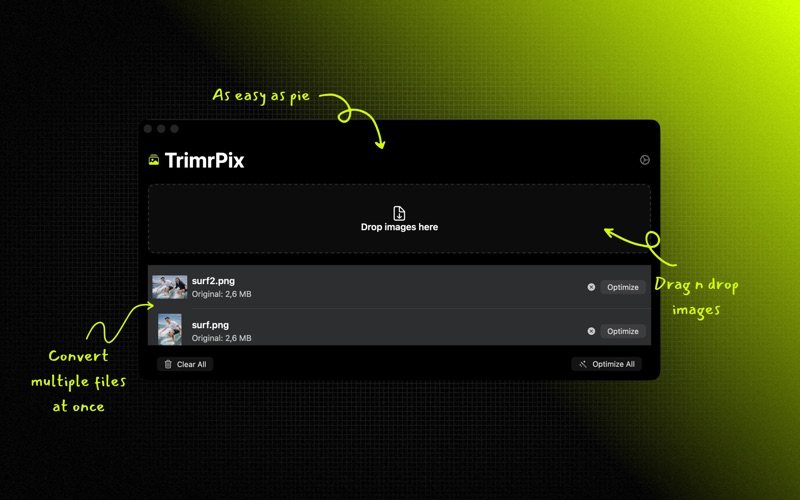
TrimrPix shrinks image file sizes on your Mac without visible quality loss. Drag, drop, optimize, and save space — fast, private, and fully offline.

SUPPORTED FORMATS
• JPEG — progressive encoding with optimized compression
• PNG — lossy quantization (up to 80% smaller) with alpha channel optimization
• GIF — re-encoding with LZW compression and metadata stripping
• AVIF — next-generation compression with best-in-class savings
• HEIC — Apple's default photo format from iPhone/iPad
• Scanned PDF — pages re-encoded at your chosen quality. PDFs with selectable text are left alone on purpose

KEY FEATURES
• Reduce file sizes by up to 80%
• Smart size guard — keeps the original if compression would increase file size
• Metadata stripping — removes EXIF, GPS, and IPTC data from all formats
• Image resizing — optional downscaling before compression
• Drag & drop — add images instantly
• Batch processing — optimize hundreds of images at once
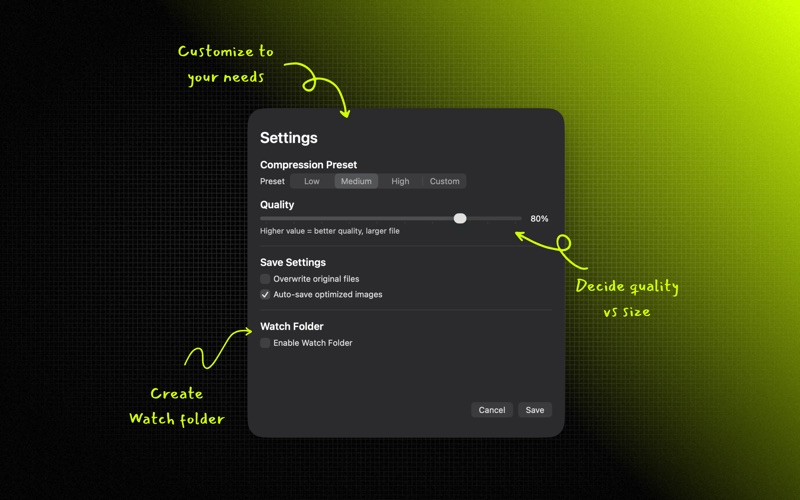
• Watch Folder — auto-optimize new images added to a folder
• Quality presets — Low (60%), Medium (80%), High (95%), or Custom
• PNG quantization — reduces colors to 256 for dramatically smaller files
• Fully offline — no uploads, no cloud, no account required
• One-time purchase — no subscription, no in-app purchases

PERFECT FOR
• Web developers optimizing site assets
• Bloggers compressing images before upload
• Photographers reducing file sizes for sharing
• App developers optimizing App Store screenshots
• Anyone who wants smaller images without quality loss

All processing happens locally on your Mac. Your images never leave your device.

Requires macOS 15.2 or later.