



Description
mscp is a modern macOS SSH and file transfer client for developers who work with remote servers
mscp is a modern macOS SSH and file transfer client for developers who work with remote servers.

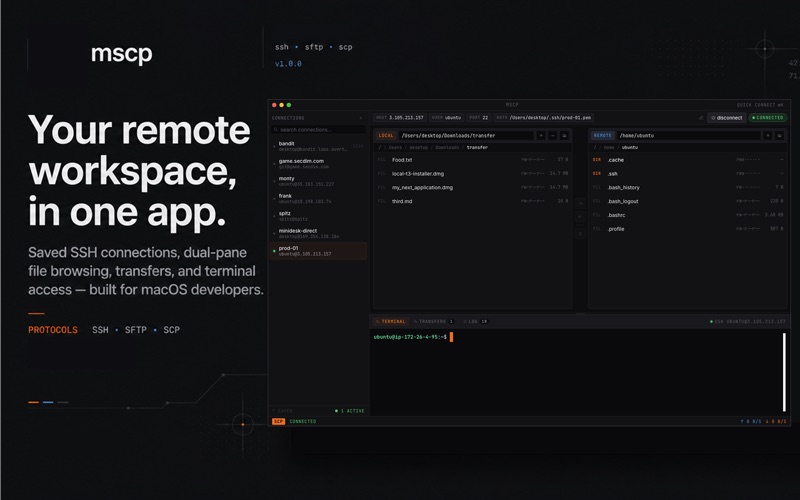
Built around a fast dual-pane workflow, mscp brings saved SSH connections, local and remote file browsing, SFTP/SCP-style transfers, and remote terminal access into one focused desktop workspace.

Instead of juggling a terminal, file browser, FTP client, and connection notes, you can connect to a server, browse local and remote folders side by side, move files, monitor transfers, and open a remote shell from the same app.

A focused remote workspace

mscp is designed for developers, sysadmins, DevOps engineers, data engineers, technical founders, and power users who regularly move between their Mac and remote Linux machines.

Create saved SSH connection profiles for the servers you use every day. Search connections quickly, open recent hosts, and keep your remote workflows organised without rebuilding commands by hand each time.

Dual-pane file browsing

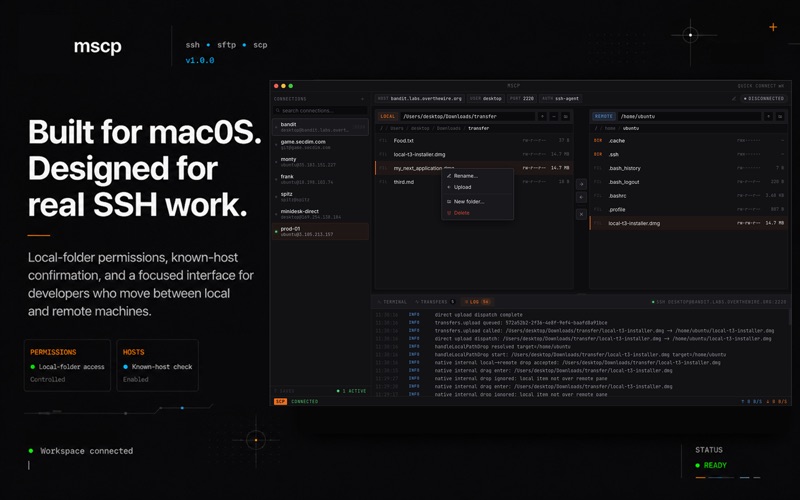
Work with local files on one side and remote server files on the other. Navigate folders, inspect file details, create directories, rename items, delete files, and move assets between your Mac and a connected server.

Uploads, downloads, and transfer tracking

mscp gives transfers their own dedicated view, so you can clearly see what is moving and where it is going.

Track uploads and downloads with progress, direction, speed, status, and queue information. Whether you are pushing a build artifact, pulling logs, or moving project files, the transfer queue keeps the process visible.

Remote terminal access

When browsing files is not enough, open a remote SSH terminal inside the app. Run commands on the connected server without switching context or leaving the workspace.

The terminal is designed for remote shell access, keeping the app focused on SSH workflows rather than becoming a general local terminal replacement.

Built with macOS permissions in mind

mscp uses the macOS folder picker and local folder authorisation flow, so you stay in control of which local folders the app can access.

Key features

Saved SSH connection profiles
SSH config import
SSH known-host verification
Remote SSH terminal
Dual-pane local and remote file browser
SFTP/SCP-style upload and download workflows
Transfer queue with progress, speed, direction, and status
Context menus for file actions
Connection search and quick connection workflows
Developer-friendly connection errors
Dark, compact, native-feeling macOS interface

Who mscp is for

mscp is for people who already use SSH and remote servers, but want a cleaner graphical workflow for everyday file movement and server work.

Use it to browse remote project directories, upload builds, download logs, manage server files, inspect folders, and open a shell without constantly switching between tools.

If your work lives between your Mac and remote machines, mscp gives you a practical, focused way to connect, browse, transfer, and work.
