



Description
Some things are faster to draw than to type
Some things are faster to draw than to type. Liinjer is the quickest way to get a sketch out of your head and into an AI conversation.

Open the app, tap New Sketch, and draw with Apple Pencil on an endless canvas. When the idea is on paper, tap Export → Copy as PNG — the whole sketch lands on your clipboard, ready to paste into Claude, ChatGPT, or any other AI chat. You can also share it as an SVG or PDF file.

DRAW ON iPAD — VIEW ON iPHONE AND MAC
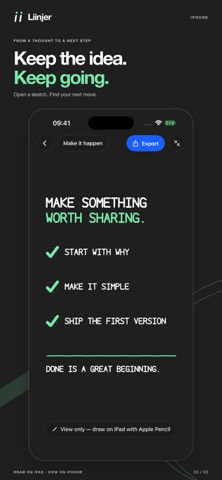
Liinjer is built around the iPad and Apple Pencil: that is where you draw. On iPhone and Mac, Liinjer is a companion viewer — your sketches are there, synced and up to date, with pan, zoom, Copy as PNG and sharing, so the sketch is always within reach next to the chat you are pasting it into.

AN ENDLESS CANVAS
60,000 × 60,000 points of paper. New sketches start in the middle so the drawing can grow in every direction. Fingers pan and zoom — they never draw.

THE FEWEST POSSIBLE CHOICES
Four tools: a thin pen, a pressure-sensitive pencil, a highlighter, and an eraser. Four ink colors: charcoal, white, blue, and green. Five backgrounds: Light, Document (ruled), Dots, Dark, and Blueprint. Nothing else to fiddle with — the fastest path from idea to line.

YOUR FILES, NOT OURS
Every sketch is a plain .svg file in the “Liinjer” folder of your iCloud Drive — visible in the Files app, synced by Apple to all your devices, and openable in browsers and design tools. The lossless drawing data is embedded in the file, so Liinjer always keeps editing at full quality. No account, no sign-up, and no data collection: your sketches never leave your own devices and iCloud.

Ink on paper. Glass on top. Sketch it. Paste it. Prompt it.
