风格

截图
5 张截图 网格- 版本
- 1.1
- 大小
- 3 MB
- 首次发布
- 2026年9月2日
- 分类
- 软件开发工具
应用介绍
来自 App Store 商店页See inside any Power BI file — natively on your Mac.
PBIXRay opens .pbix files directly: no Power BI Desktop, no Windows VM, no uploading your model to anyone's cloud. Drop a file on the app — or just press Space in Finder, Quick Look included — and get the full picture of the semantic model in seconds. Analysis Services backup files (.abf) open the same way.
FREE, FOR EVERY FILE YOU OPEN
• Model overview — tables, relationships, row counts, storage footprint
• Interactive relationship diagram
• Report page structure with visual-by-visual wireframes
• Data source inventory and connection details
• Quick Look previews in Finder — arrow through a folder of models in seconds
ONE PURCHASE UNLOCKS THE FULL INSPECTOR — FOREVER
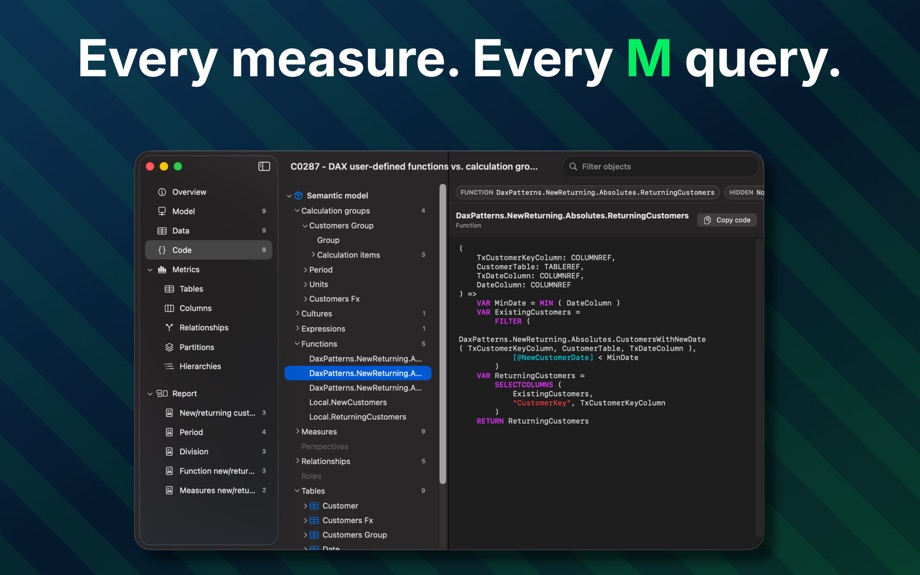
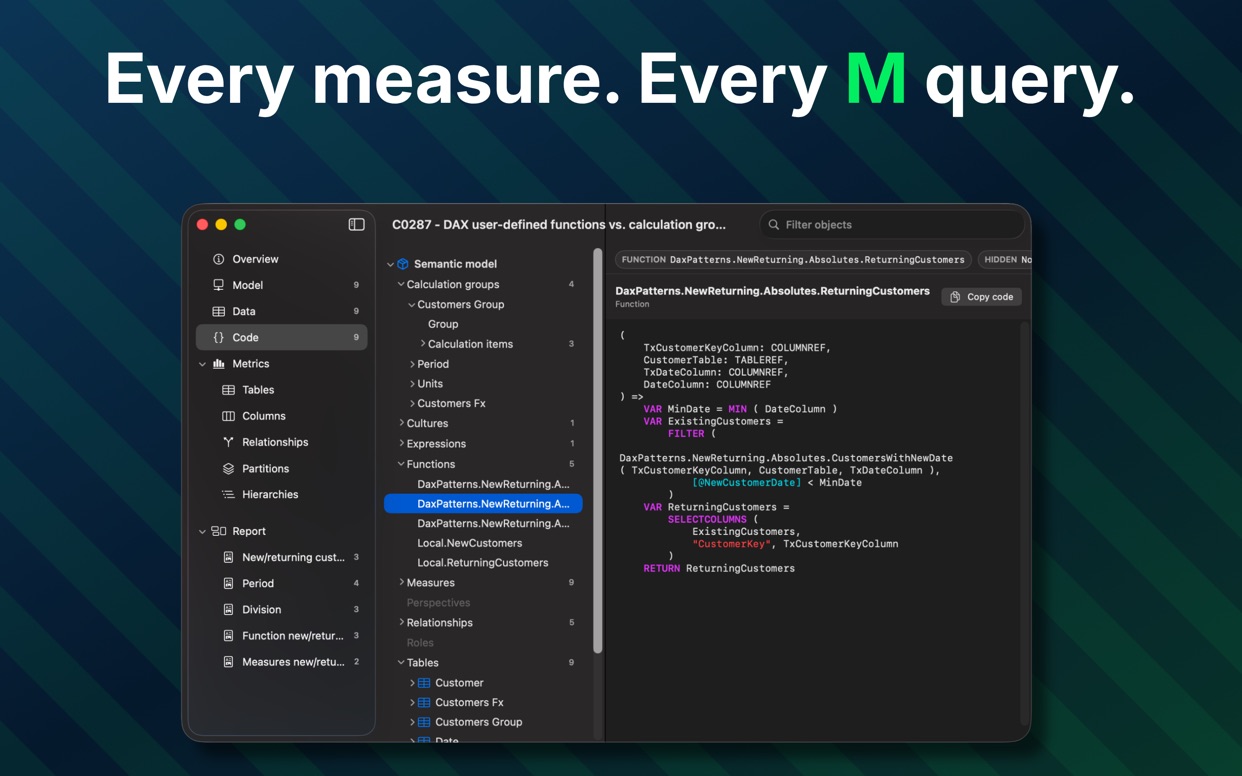
• Every DAX measure, calculated column and calculated table, with syntax highlighting
• All Power Query (M) source, parameters included
• Table data — browse the actual rows stored in the model
• Metrics: the per-column memory breakdown (cardinality, dictionary and hierarchy sizes) you'd otherwise open VertiPaq Analyzer for
• Export the whole model as JSON, CSV, Markdown or HTML
No subscription. The unlock is a single one-time purchase.
BUILT FOR POWER BI PROFESSIONALS
Consultants auditing inherited models, teams reviewing PBIX files in pull requests, and anyone who ever said "I just need to see what's in this file" on a Mac. Engineered lean: memory-mapped parsing keeps the footprint small enough to keep many large models open side by side.
PRIVATE BY DESIGN
Your models never leave your Mac. PBIXRay ships without the macOS network entitlement, so the sandbox itself prevents any upload — no account, no telemetry, works fully offline. (The optional purchase is handled by the App Store outside the app.)
SUPPORTED FILES
• Power BI Desktop reports (.pbix) — import, DirectQuery, composite, and thin/Live Connection reports
• Analysis Services backups (.abf)
用户评价
0 条文字评价暂无文字评价
分享卡片 #
Instagram / 微博 / 小红书 会拉起系统分享并附带生成的卡片图
PBIXRay
软件开发工具
免费
iOSAppGallerywww.iOSAppGallery.com


PBIXRay
软件开发工具
免费
扫码查看详情
iOSAppGallery · iOSAppGallery.com
发现好玩的 iOS 应用与游戏
PBIXRay
软件开发工具
免费
扫码查看详情
iOSAppGallery · iOSAppGallery.com
发现好玩的 iOS 应用与游戏
PBIXRay
软件开发工具
免费
iOSAppGallerywww.iOSAppGallery.com




{"@context":"https://schema.org","@graph":[{"@type":"SoftwareApplication","name":"PBIXRay","applicationCategory":"\u8F6F\u4EF6\u5F00\u53D1\u5DE5\u5177","operatingSystem":"iOS","url":"http://iosappgallery.com/zh-CN/share/6787160588","image":"https://is1-ssl.mzstatic.com/image/thumb/Purple211/v4/ec/1f/ad/ec1fad56-58a1-dfa1-eee5-73bd7e0edcdd/AppIcon-0-0-85-220-0-6-0-2x.png/512x512bb.png","aggregateRating":null,"offers":{"@type":"Offer","price":0.000,"priceCurrency":"CNY"}},{"@type":"BreadcrumbList","itemListElement":[{"@type":"ListItem","position":1,"name":"Apps","item":"/"},{"@type":"ListItem","position":2,"name":"\u8F6F\u4EF6\u5F00\u53D1\u5DE5\u5177"},{"@type":"ListItem","position":3,"name":"PBIXRay"}]}]}