风格

截图
10 张截图 网格- 版本
- 1.9
- 大小
- 57 MB
- 首次发布
- 2025年7月21日
- 分类
- 摄影与录像
应用介绍
来自 App Store 商店页Even a laptop from over 10 years ago has sufficient performance.
By using a large-capacity external HDD to store the photos and videos stored on all the family's iPhones on a Windows PC set as an SMB server,
if you can access it in the same wifi environment as the Windows server, all family members can access it smoothly at home.
You can also import CDs and transfer music to the Windows server to share and enjoy with your family.
Even if you don't have a Windows SMB server, it also supports network HDDs such as RECBOX.
It's a long explanation, but I hope you'll read it all to understand what features it has.
I'd also appreciate it if you could take a look at the app preview video and screenshots.
What you can do with this app
・Find the Windows SMB servers in your home network
・You can access the SMB servers you find with a username and password
■What you can do before selecting a server
*The list can be rearranged or deleted
・Last played
・All played history
・Favorite list. Select or All play(shuffle,Repeat)
・Favorite folders
・Playlist registered in playlist groups. Select or All play(shuffle,Repeat)
・Downloaded list & total size. Select or All play(offline)
・Videos,images from the camera roll in your iPhone with this app's high-performance media player(offline)
・Videos,music,images from files stored in your iPhone with this app's high-performance media player(offline)
・You can hide server names that you do not want to display when there are multiple SMB servers
・Detailed settings for the color and design of the SMB server list
・Setting to show/hide the status bar common to all apps. Setting the color when it is displayed
・If you turn on auto login, you can skip entering your username and password
・Back up and Restore data using the sharing function
■What you can do after selecting a server
・Display folders and files
・Play all files in a folder at once(Shuffle,Repeat)
・Folder and file display can be switched between list display and icon display
・Set thumbnails for folders. Thumbnails can be set from videos or the iPhone camera roll
・Image files are automatically displayed as thumbnails
・Set the display size and font size of folders and files
・Folder and file lists can be sorted by name, modification date and time, and size
・Detailed color design for folders and file lists
・Multiple files can be selected and added to a playlist
・Files can be downloaded, and downloaded files can be played offline
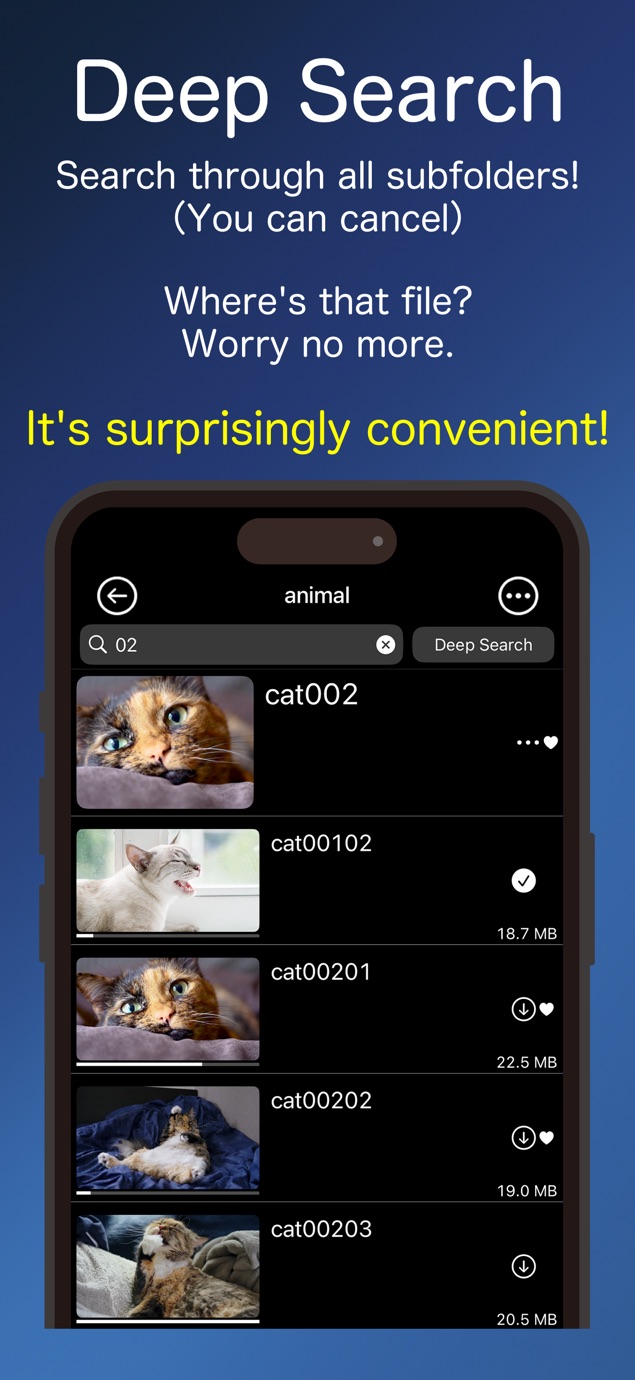
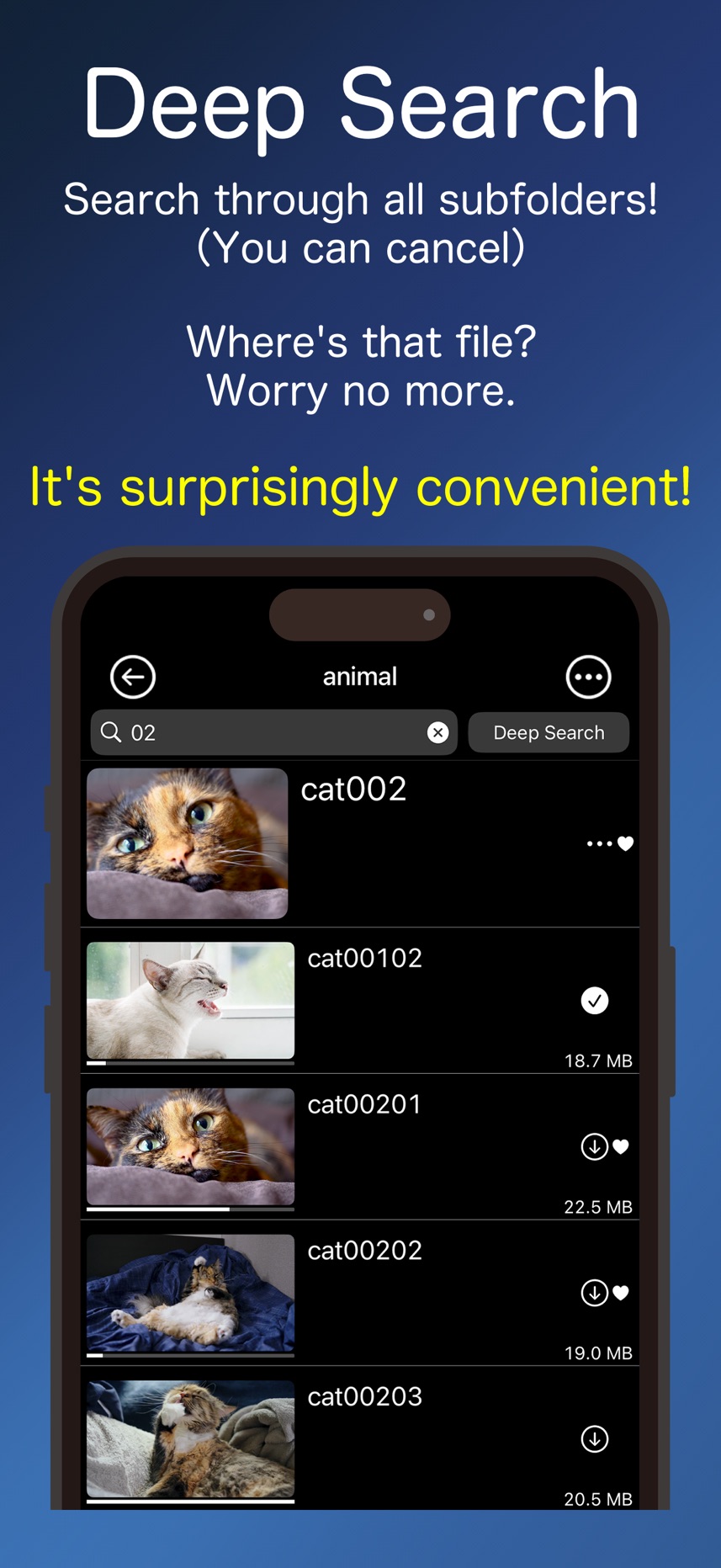
・A function to narrow down the display of files and folders using the search field
・A function to narrow down the display of files and folders by searching through sub-folders using the search field and Deep Search button
■What you can do with the media player after selecting a file
・Play videos and music. Show Image
・Switching Audio&Subtitle(Japanese and English,etc)
・Music can be played in the background (even in sleep mode)
・You can bookmark any playback position
・Check, edit, and jump to bookmark lists
・Rewind and fast forward
・Change aspect ratio
・15 second rewind and 30 second forward
・Screen lock
・Screen rotation
・Add to Favorite list
・Add to playlist
・Check playable list and jump playback.(Shuffle,Repeat)
・Set subtitle instead of file name
・Extract thumbnail from currently playing video
・Set thumbnail from camera roll
・Auto-play function when next file is available
・Function to set color design in detail
・Function related to sound as follows
・Equalizer
・Option to mute sound during playback
・Ability to adjust audio delay. (Memorized for each file)
・Ability to change playback speed
・Ability to loop playback between A & B
・The following gesture
・Change volume
・Change brightness
・Double tap left or right to fast forward or rewind 10 seconds
・Swipe left or right to fast forward or rewind(changes depending on the amount of swipe)
・Double tap for full screen(videos only)
・Swipe to end playback
・Control panel settings
・By mirroring from the Control Center, you can display videos on your TV just like with AirPlay
Made in Japan
用户评价
0 条文字评价暂无文字评价
分享卡片 #
Instagram / 微博 / 小红书 会拉起系统分享并附带生成的卡片图
ikPlayer - Media Player
摄影与录像
¥15.00
iOSAppGallerywww.iOSAppGallery.com


ikPlayer - Media Player
摄影与录像
¥15.00
扫码查看详情
iOSAppGallery · iOSAppGallery.com
发现好玩的 iOS 应用与游戏
ikPlayer - Media Player
摄影与录像
¥15.00
扫码查看详情
iOSAppGallery · iOSAppGallery.com
发现好玩的 iOS 应用与游戏
ikPlayer - Media Player
摄影与录像
¥15.00
iOSAppGallerywww.iOSAppGallery.com




{"@context":"https://schema.org","@graph":[{"@type":"SoftwareApplication","name":"ikPlayer - Media Player","applicationCategory":"\u6444\u5F71\u4E0E\u5F55\u50CF","operatingSystem":"iOS","url":"http://iosappgallery.com/zh-CN/share/6739949889","image":"https://is1-ssl.mzstatic.com/image/thumb/Purple211/v4/6b/ad/8c/6bad8c30-863a-7151-4369-14226e97e2eb/AppIcon-0-0-1x_U007epad-0-1-85-220.png/512x512bb.jpg","aggregateRating":null,"offers":{"@type":"Offer","price":15.000,"priceCurrency":"CNY"}},{"@type":"BreadcrumbList","itemListElement":[{"@type":"ListItem","position":1,"name":"Apps","item":"/"},{"@type":"ListItem","position":2,"name":"\u6444\u5F71\u4E0E\u5F55\u50CF"},{"@type":"ListItem","position":3,"name":"ikPlayer - Media Player"}]}]}