



Description
View data from your EasyLog™ WiFi data loggers on your iOS Device
View data from your EasyLog™ WiFi data loggers on your iOS Device.

NOTE: If you created your EasyLog Cloud account after July 2026, you will need to use the ELC Portal app which can be found at https://apps.apple.com/us/app/elc-portal/id6773862952

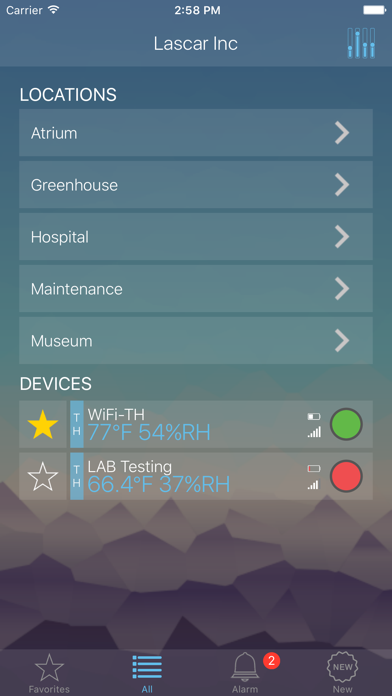
All the convenience of the EasyLog™ Cloud, in your pocket! Instantly monitor logged temperature and humidity, view alarms and set favourite sensors to allow quick access to data from your key data loggers.

Features
- Connect EL-MOTE WiFi data loggers to the EasyLog Cloud.
- View all your EasyLog™ WiFi data logger readings live
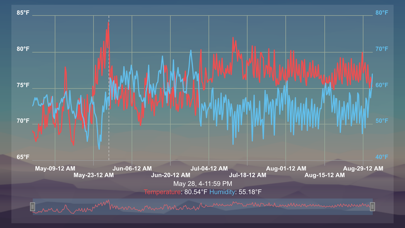
- View graphs from all of your EasyLog™ WiFi data loggers, both live and historical.
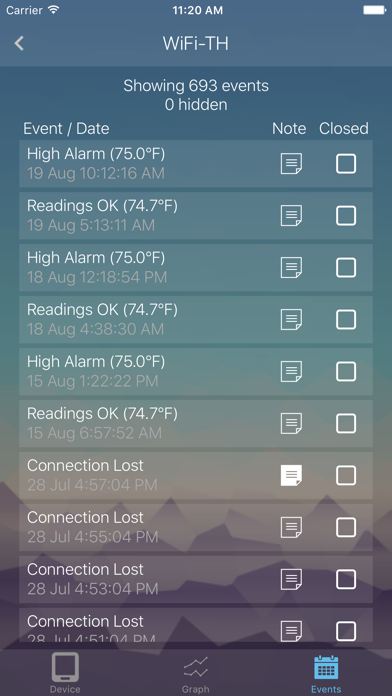
- Get real-time feedback from your EasyLog™ WiFi data logger - see instantly when your device enters an alarm condition.

Requirements
- EasyLog™ Cloud Account and at least one compatible data logging device.

Don't have any EasyLog™ WiFi data loggers yet, but want the ability to remotely monitor both temperature and humidity? Then check out www.easylogcloud.com and www.lascarelectronics.com for more information.
