



Description
Create passport, ID and document photos directly on your Mac
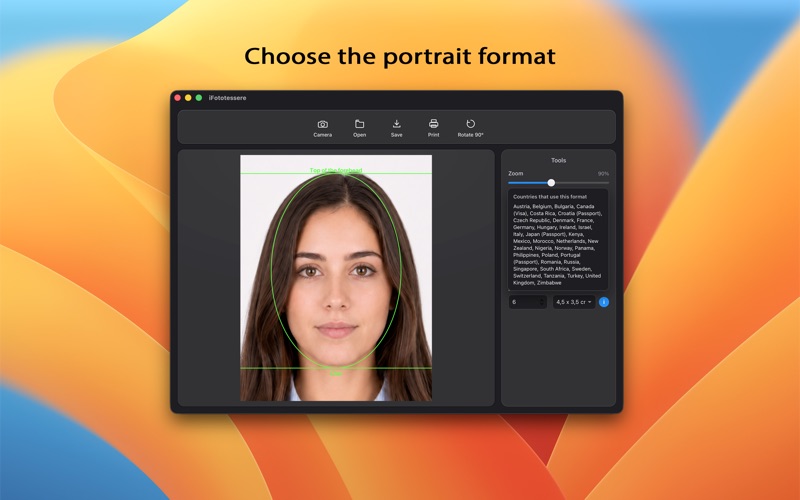
Create passport, ID and document photos directly on your Mac. With iFototessere, you can take a picture with your webcam or open an existing image, align the face and print the photo at the required size.

Choose from 24 formats for European, Italian, US and other international documents. ICAO guides help you position the forehead and chin and keep the face within the biometric framing guidelines.

Take a photo with your Mac webcam or open a JPEG or PNG image. Crop and rotate it, then adjust brightness, contrast and saturation until you get the result you want.

Print at true size in millimetres on 10×15 cm (4×6 in) photo paper. You can also save your photo as a JPEG or PDF for later printing or digital use.

With iFototessere you can:

choose from 24 ID photo formats
create photos for passports, IDs and international documents
use ICAO guides to position the face
take photos with your Mac webcam
import JPEG and PNG images
crop and rotate images
adjust brightness, contrast and saturation
print at true size on 10×15 cm photo paper
export as JPEG or PDF

More than 55,000 copies of iFototessere have been distributed since 2011. Macitynet awarded it Best Italian Photography App.

Prepare and print your ID photos directly on your Mac, at the right size and on your own terms.
