Floaters is a macOS native, keyboard-focused, scratchpad and notes app. Take notes that float with Floater's Quake-console-style controls, allowing you to quickly create and group notes and access them while working in any app. Organize your ideas and retrieve them instantly, without interrupting your workflow.

• Grouped notes:
-- Work faster by "gluing" floaters together to act as one cohesive note.

• Tasks:
-- Add inline tasks to your floaters and track progress across notes, tags, and groupings.

• Tags:
-- Use inline tags to group and organize floaters beyond manually linked notes.

• Screenshots:
-- Float your screenshots and attach scratchpads & notes.

• Websites:
-- Float websites you use often, or pages related to linked notes.

• Coding mode:
-- Write and edit code in Floaters scratchpads while focused in other apps.

• There when you need it:
-- Use global hotkeys while in any app to create notes or access your favorite notes.

• Hidden when you don't:
-- Hide Floaters with the same keystrokes to stay focused on the other apps you're working in.

• Window management:
-- Half the battle is having windows in their right places. Floaters gives you many ways to move, resize, and organize your floaters.

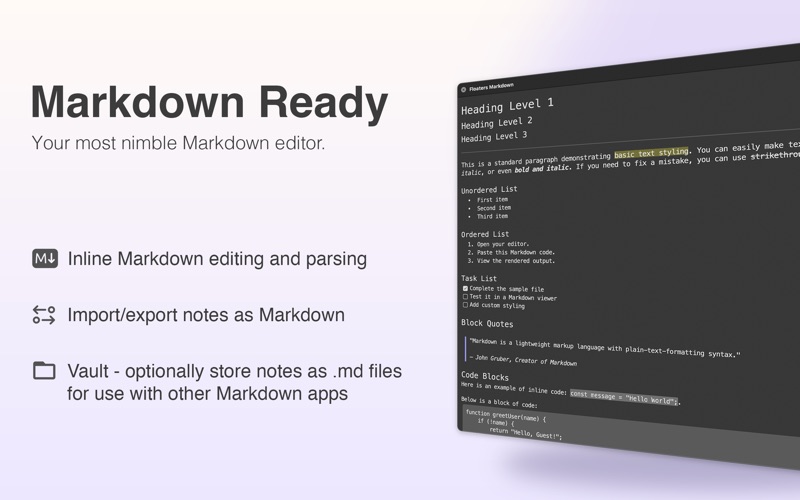
• Markdown capable:
-- Format notes with live, inline Markdown processing. Export and copy to Markdown.

• Keyboard-first:
-- Keep your hands on the keyboard and increase efficiency with a remarkable amount of keyboard control.

• Lots of things can float:
-- More than just plain text! Add inline tasks, tags, images, files, links and more to notes.