Protect Privacy in Videos with Smart Blurring
"Blur Video #1" – A powerful and user-friendly tool that lets you hide sensitive data in videos in just a few steps
Protect Privacy in Videos with Smart Blurring
"Blur Video #1" – A powerful and user-friendly tool that lets you hide sensitive data in videos in just a few steps. Use advanced blurring technology to quickly and effectively protect personal information, faces, or text in your videos.

Key Features:
Project Editing – Save & Manage Without Limits
• All projects are auto-saved, allowing you to resume editing anytime.
• Easy management: Delete, create new projects, or edit with a single click.

Flexible Manual Blurring – Customize Effects to Your Needs
• Add blur manually, adjust shape, size, and position.
• Set keyframes for smooth blur movement.

Automatic AI Blurring – Effortless Data Protection
• Face Blur – AI detects and blurs all faces, keeping them in separate layers for easy editing.
• Text Blur – The system automatically recognizes and hides text in videos.

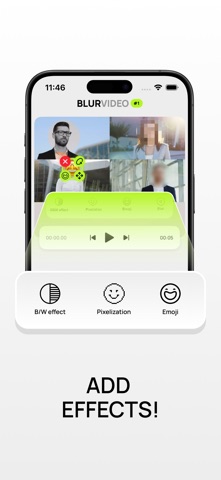
Masking Styles – More Than Just Blurring
Choose the right effect to conceal information:
• Classic Blur
• Pixelation
• Black & White Filter
• Emoji Masking

Advanced Customization – Full Editing Freedom
• Use multiple blur layers simultaneously.
• Choose shapes (oval or rectangle).
• Adjust blur intensity for precise effects.
• Duplicate layers for quick application.

Fast & Easy Export
• Save finished videos to your gallery with one tap.
• Keep projects accessible for further editing without data loss.

All editing features are available immediately after installation. However, exporting edited videos requires a subscription, letting you test all functionalities before payment.

Intuitive Interface – Easy for Beginners
Simple navigation, user-friendly tools, and a clear workflow ensure great results without complex settings.

"Blur Video #1" is the perfect solution for protecting personal data, editing videos, and creating clean content. Try it now and experience smart blurring!

Privacy policy:

https://flstock.ru/get/4be25519bd6e4ae6573c9285e08db5c2e11e4d4ec1e689dd16fb06e87317f3cd

Terms of use:

https://flstock.ru/get/c946745ed7ec30fbd9c2bb01662da611e321ea69e689d31a6c110eff2458ed31