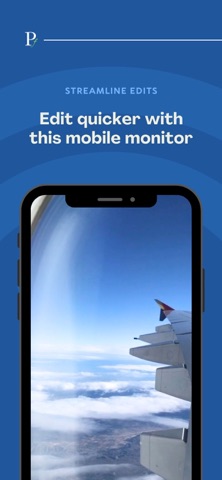
ProFrame is a companion app that turns your iPhone or iPad into a wireless viewer for your desktop-based editing timeline
ProFrame is a companion app that turns your iPhone or iPad into a wireless viewer for your desktop-based editing timeline. Connect it to the separate ProFrame app on your Mac and see the Final Cut Pro or Premiere Pro viewer on a real device in your hand, perfect for checking framing, colour and playback exactly as your audience will see it.

Designed for modern editing workflows

	•	View your edit on a real iPhone or iPad screen while you work on your Mac
	•	Check framing, text size and UI elements for vertical, short-form and mobile-first content
	•	See colours and contrast on an actual device display, not just your computer monitor

Simple, local network setup

	•	ProFrame connects over your local Wi-Fi network
	•	One-tap “Connect to Stream” to discover your Mac on the network
	•	Helpful setup guide video inside the app to walk you through the workflow

Subscription and account

• A ProFrame membership is required to unlock streaming features
• If you subscribe via the App Store, you can manage/cancel in Apple’s Manage Subscriptions
• If you purchased outside the app, you can manage your subscription via the account portal
• Account deletion is available in-app via Account Settings

Built for Final Cut Pro and Premiere Pro

	•	Requires the separate ProFrame app on macOS
	•	Works alongside the ProFrame plugin for Final Cut Pro and the ProFrame panel for Premiere Pro
	•	No cloud upload or guessing, just low-latency local streaming

Requirements
	•	iPhone or iPad running iOS 16 / iPadOS 16 or later
	•	Mac running macOS Ventura or later with the ProFrame desktop app installed
	•	Final Cut Pro or Adobe Premiere Pro on the Mac
	•	Both devices connected to the same local network

ProFrame for iOS and iPadOS is a viewer only. The Mac app is provided separately.

Trademarks

Final Cut Pro, iPhone, iPad, iOS, iPadOS and macOS are trademarks of Apple Inc., registered in the U.S. and other countries and regions. Adobe and Premiere Pro are registered trademarks of Adobe Inc. ProFrame is an independent product and is not affiliated with or endorsed by Apple or Adobe.

Privacy Policy: https://stevecraggs.com/proframe-privacy-policy
Terms of Use: https://stevecraggs.com/proframe-terms-and-conditions