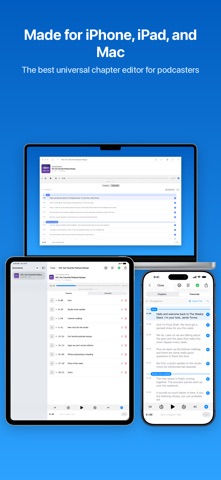
Chapterize is a complete post-production toolkit for podcasters. Add chapters, generate transcripts, export video, and keep an eye on your shows, all in one app that runs natively on iPhone, iPad, and Mac.

CHAPTERS

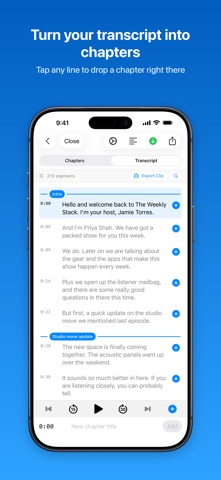
- Mark chapters as you listen, with a scrubbable waveform and one tap to drop a chapter at the playhead
- Full chapter support: titles, artwork, and links
- Import chapters from YouTube-style text, or from markers you set in Logic Pro and other DAWs
- Copy your chapter list as text for YouTube or your show notes
- Work on several episodes at once with tabs

TRANSCRIPTS

- Generate transcripts on device with Apple's Speech APIs. Your audio is never uploaded anywhere.
- Have transcription start automatically as soon as a file finishes importing
- Import and export SRT and VTT subtitle files
- Tap any line to jump to it, search the whole transcript, and drag chapter markers to retime them

SHOWS

- Add your podcast by searching Apple Podcasts, or by pasting an RSS feed
- See recent episodes, show notes, artwork, and your Apple Podcasts rating broken down by country
- Copy episode links and embed codes, or download episode audio
- Drop a new recording onto a show to start editing with the title and artwork already filled in

VIDEO AND CLIPS

- Export a full episode video with artwork, waveform, and either your chapter list or your transcript
- Export short transcript clips with karaoke-style captions, ready for social media

FILES

- Opens MP3, M4A, MP4, M4B, WAV, and AIFF
- Always exports MP3 with chapters embedded, so your episode works in every podcast app

PRICING

- Free to try: 5 exports and 5 transcripts
- One simple purchase unlocks everything. No subscription.

System Requirements

- iOS or iPadOS 26 or later

Privacy policy https://birchtree.productions/apps/chapterpod/privacy.html