Your Mac says the disk is almost full. You check storage in System Settings - some mysterious "System Data" is eating 50 GB, and you have no idea where it came from.

Sound familiar? That's exactly why DiskSpace exists.

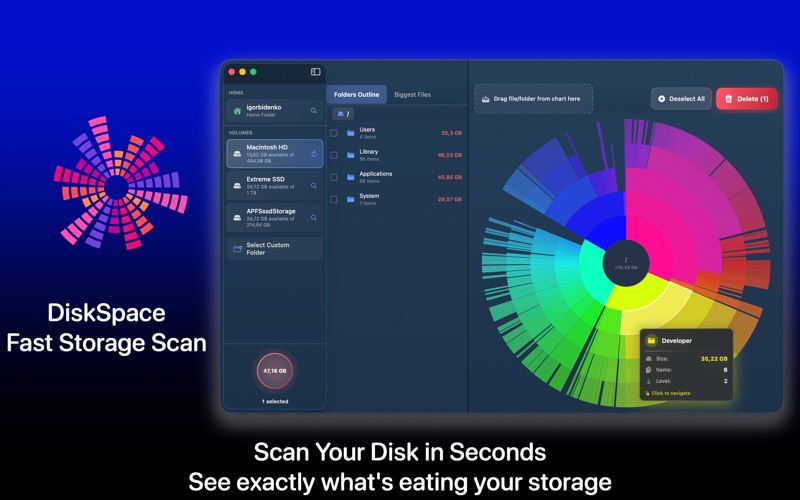
DiskSpace scans any drive on your Mac and builds a detailed visual map of every file and folder. The biggest space hogs are impossible to miss - they jump right out. No more digging through Finder for hours trying to figure out where your gigabytes went.

HOW IT WORKS
Pick a drive. Hit Scan. In seconds you get the full picture - every folder, every file, sorted by size. Tap into any folder to drill deeper. Found something you don't need? Preview it with Quick Look and remove it on the spot.

That's it. No complicated workflows. No 47-step guides from YouTube.

WHAT YOU CAN DO
Scan your startup disk, external drives, USB sticks, SD cards, or any mounted volume. See every folder size at a glance with an interactive visual map. Find the largest files hogging your storage - old downloads, forgotten archives, bloated app caches. Spot duplicate files and folders you didn't know existed. Preview anything before deleting. Remove what you don't need and reclaim storage in minutes.

TWO WAYS TO SEE YOUR STORAGE
Pick the view that matches how you think.

The sunburst chart lays out your folders as colorful rings. Click any slice to zoom into that folder and see what sits inside.

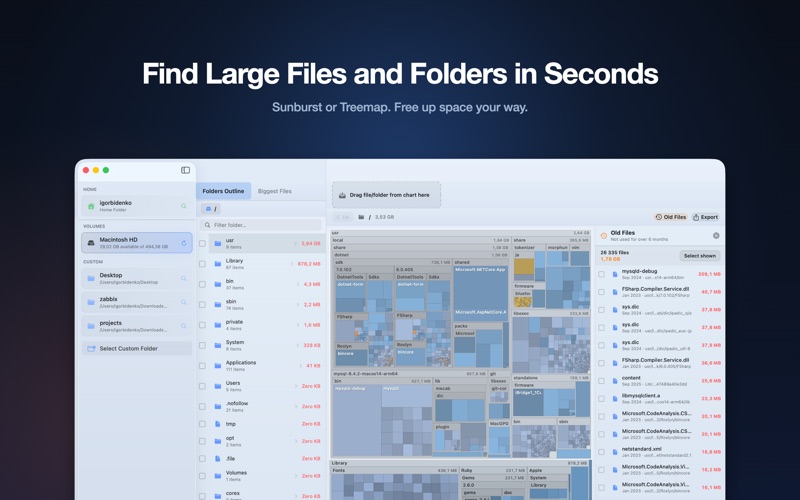
The new treemap view packs every file and folder into blocks sized by the space they use. Bigger block, bigger file. It is the fastest way to spot what is eating your drive, and it is the view long-time disk-cleanup fans have wanted on Mac. Switch between sunburst and treemap anytime with one tap.

FIND FILES YOU FORGOT ABOUT
Turn on the Old Files filter and DiskSpace surfaces everything you have not opened in months or years. These are usually the safest things to clear out. Review them in a list sorted by size, preview to be sure, then send them to Trash.

WHO IT'S FOR
Developers drowning in Xcode caches, derived data, and old simulators. Creatives with massive video, photo, and audio libraries piling up. Anyone tired of that "Your disk is almost full" notification.

WHAT MAKES IT DIFFERENT
Fast. Most scans finish in under 30 seconds, even on drives with millions of files. No spinning wheels, no waiting around.

Clear. The visual map makes it obvious which folders are taking the most space. You see the problem instantly - no need to memorize file paths or compare numbers in columns.

Safe. System files are clearly marked and protected. DiskSpace never deletes anything without your explicit action. You stay in control.

Lightweight. Minimal CPU and memory footprint while scanning. Runs quietly, finishes fast, gets out of your way.

SUPPORTS ALL YOUR DRIVES
Internal SSDs and hard drives. External USB and Thunderbolt drives. SD cards and flash drives. Network volumes and NAS. Mounted DMG images. Time Machine drives. Works with APFS, HFS+, ExFAT, and FAT32.

No background processes. No telemetry. Your data stays on your Mac - nothing gets sent anywhere.

Terms of Use: https://www.apple.com/legal/internet-services/itunes/dev/stdeula/

Got questions or suggestions? We read every email and respond within 24 hours.