Sqz compresses and converts images on your Mac. Nothing is uploaded, nothing expires, and there is no subscription.

FOLDER WATCH

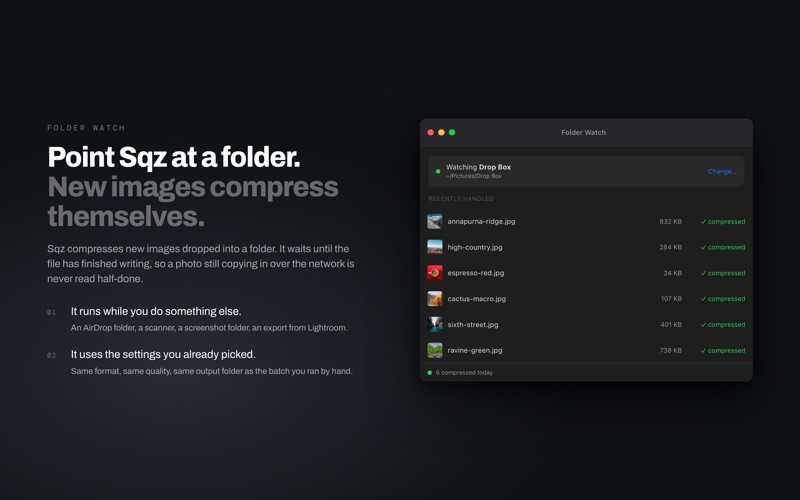
Point Sqz at a folder and every new image dropped into it is compressed on its own. An AirDrop folder, a scanner, a screenshot folder, an export from Lightroom. Sqz waits until the file has finished writing, so a photo still copying in over the network is never read half-done.

SEE THE RESULT BEFORE ANYTHING IS WRITTEN

Double-click any image to open the before and after view. Drag the handle to compare at full size, change the format or the quality, and the preview re-encodes in memory. Nothing reaches your disk until you say so. When it looks right, apply the same settings to the whole batch in one click.

FORMATS

Reads JPEG, PNG, WebP, AVIF, JPEG XL, HEIC, TIFF, BMP and GIF.
Writes JPEG and PNG for free. WebP, AVIF, JPEG XL and HEIC come with Pro.

LOSSLESS JPEG TO JPEG XL

Re-encode a JPEG as JPEG XL and get the original JPEG back later, bit for bit. Not a close match and not a good-enough approximation. Useful for archiving a shoot before you deliver it.

QUALITY

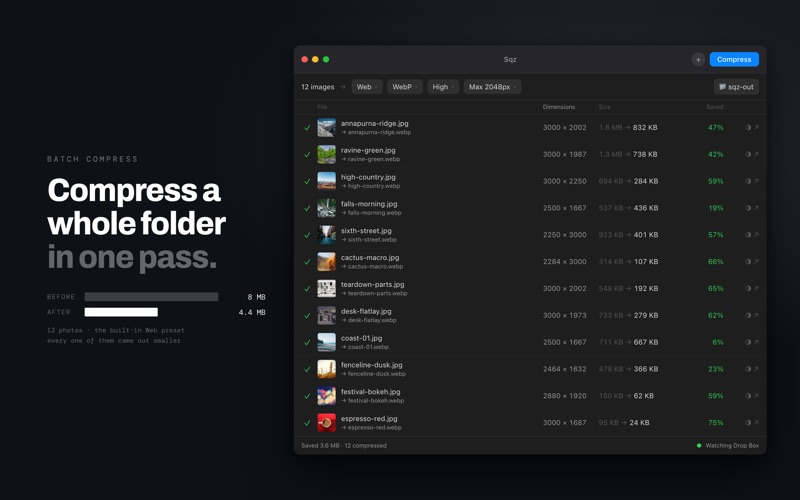
Quality is chosen by name rather than by a number: Maximum, High, Medium and Low, plus Lossless when you write JPEG XL. How much a file shrinks depends on the picture, so Sqz answers that in the Saved column after the first run, measured on your own images instead of promised in advance.

PRESETS

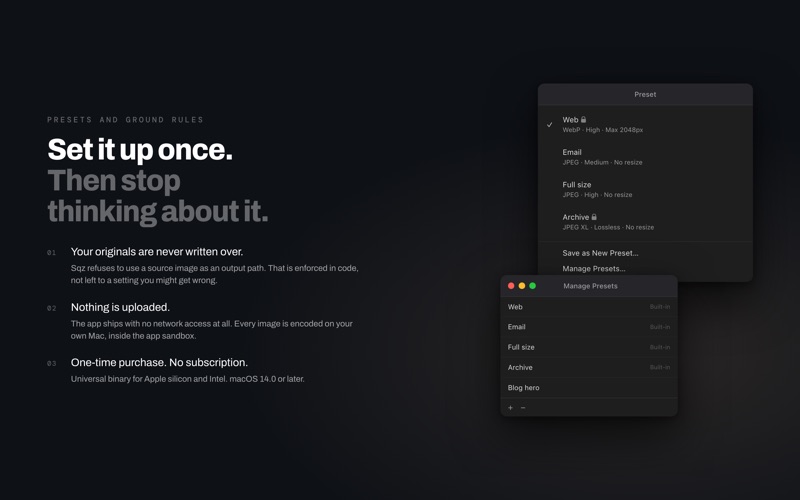
Web, Email, Full size and Archive are built in. Save your own and it remembers the format, the quality, the resize and the output folder.

BATCH

Compress a whole folder at once, in parallel. Stop mid-batch with Command-period and press Compress again to carry on with what is left. Re-running a batch updates the files it wrote last time instead of leaving numbered copies behind. There is no file count limit.

FREE VS PRO

Free: JPEG and PNG output, batch compression, presets, and the before and after view.
Pro, one-time purchase: WebP, AVIF, JPEG XL and HEIC output, Folder Watch, batch resize, and lossless JPEG to JPEG XL. No subscription.

YOUR FILES

Sqz ships with no network access at all. Every image is encoded on your own Mac, inside the app sandbox. Your originals are never written over: the app refuses to use a source image as an output path, and that rule lives in code rather than in a setting you might get wrong.

METADATA

EXIF, GPS and other metadata can be kept when writing JPEG, PNG or HEIC. WebP, AVIF and JPEG XL always drop it.

NATIVE

Written in Swift with Apple frameworks. Universal binary for Apple silicon and Intel. No Electron and no background daemon. macOS 14 or later.