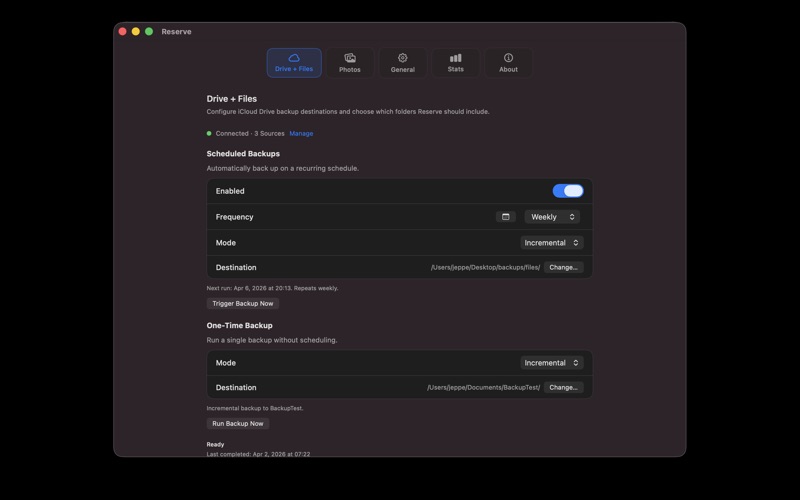
Back up your photos and files to storage you control — an external drive, a NAS, or any folder on your Mac
Back up your photos and files to storage you control — an external drive, a NAS, or any folder on your Mac. Reserve saves everything as regular files and folders, with no proprietary archive format, no account, and no lock-in.

Use Reserve for photo library backups, synced document backups, or both.

Photos
• Back up your library, including shared albums
• Save originals and edited versions at full resolution
• Organize exports by year and month
• Download offloaded items during backup
• Choose what to include: videos, motion photos, screenshots

Files
• Back up synced documents and app folders available on your Mac
• Add individual folders as separate backup sources
• Preserve your directory structure and file dates

Three Backup Modes
• Incremental — only copies new or changed files since the last run
• Mirror — keeps the backup in sync with the source, including deletions
• Full — creates a fresh standalone copy from scratch

Scheduling
• Schedule daily, weekly, or monthly backups
• Separate schedules for photos and files
• Runs in the menu bar without taking over your dock

Private by design
• No account
• No telemetry
• Nothing leaves your Mac