A barcode scanner, QR generator, inventory tracker, label printer, and live desktop scan and viewer
A barcode scanner, QR generator, inventory tracker, label printer, and live desktop scan and viewer. All in one iOS app.
Built for people who use barcodes to get work done, not just collect them.

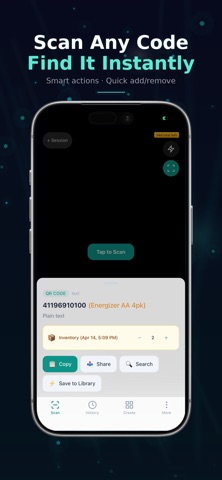
Fast scanning
Scan QR codes and barcodes instantly with support for QR, EAN, UPC, Code 128, Data Matrix, PDF417, Aztec, and more.
Auto-detect links, Wi-Fi, contacts, phone numbers, emails, calendar events, and locations.

Batch scanning for inventory and operations
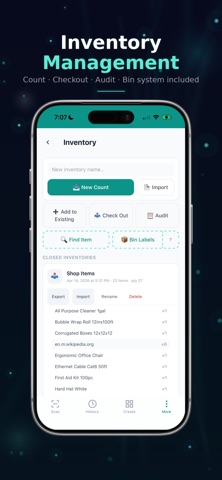
Scan hundreds of barcodes continuously in batch mode.
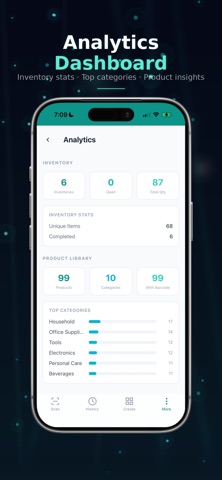
Count, audit, and track inventory in real time.
Detect duplicates automatically and organize scans into sessions.

Import, export, and reporting
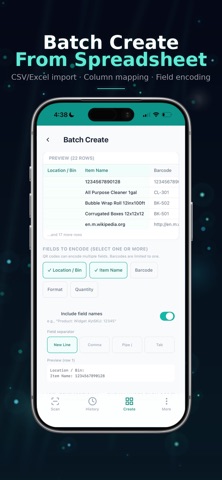
Import from Excel (.xlsx) or CSV.
Export to CSV, Excel, PDF, or JSON.
Generate reports and use your data in the tools you already rely on.

Code generation and label printing
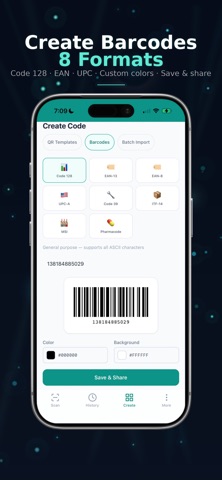
Create QR codes and barcodes in seconds.
Generate QR codes for URLs, Wi-Fi, contacts, email, SMS, phone numbers, calendar events, and more.
Print to supported Avery label formats and customize colors and branding.

LAN server: scan to desktop
View scans live on your computer over your local network.
Multiple devices can scan into one shared session at the same time.
No internet required for LAN mode.

SUBSCRIPTION OPTIONS
Pro+ Weekly: $2.99 per week
Pro+ Monthly: $5.99 per month
Pro+ Yearly: $59.99 per year (best value)

Payment is charged to your Apple ID at confirmation. Subscriptions auto-renew unless canceled at least 24 hours before
the end of the current period. Manage or cancel anytime in Settings, Apple ID, Subscriptions.

Whether you're managing a warehouse, running a pop-up shop, tracking assets, or just need a scanner that actually
works, QuickScan QR Pro has you covered.

Integrations
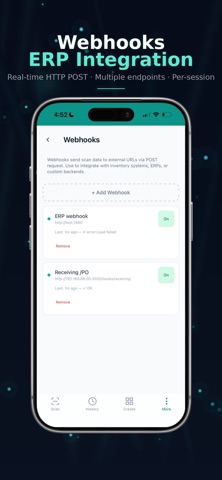
Send scan data via webhooks (HTTP POST).
Connect with Google Sheets, Zapier, Slack, inventory systems, ERPs, or your own backend.

OCR text recognition
Extract text from labels, documents, and business cards with your camera.

Privacy and access
No account required.
Core scanning works on your device, and LAN mode works on your local network without internet.

Terms of Use: https://d2bpsrxgigbnl9.cloudfront.net/quickscanqr/terms-of-use.html
Privacy Policy: https://d2bpsrxgigbnl9.cloudfront.net/quickscanqr/privacy-policy.html