Are you the kind of person who screenshots everything — ideas, posts, things to remember — and then never looks at them again
Are you the kind of person who screenshots everything — ideas, posts, things to remember — and then never looks at them again?

Keepday turns that screenshot graveyard into something useful. Spend a few minutes in the evening going through today's screenshots: delete what you don't need, keep what you do, and turn the good ones into notes you'll actually find again.

HOW IT WORKS
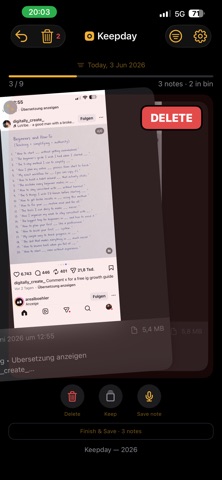
One screenshot at a time. No endless grid, no overwhelm.
- Swipe left to delete (it lands in a bin you can undo — nothing is lost until you confirm)
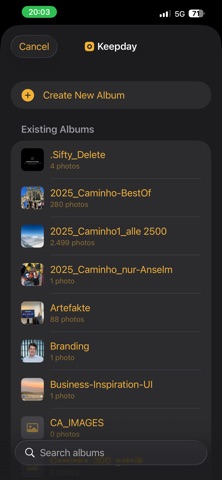
- Swipe down to keep it and sort it into a photo album
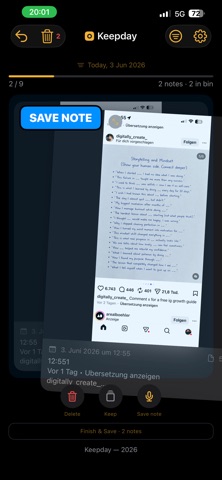
- Swipe right to turn it into a note

When you make a note, Keepday reads the text in the image for you, lets you dictate why it matters, pick a category, and — if you want — set a reminder or drop it straight into your calendar. Then it's saved in your journal.

AI WHERE IT ACTUALLY HELPS
On-device text recognition and voice dictation do the boring part — reading the screenshot and turning your thoughts into text — so you can capture an idea in seconds. You stay in control of every decision.

YOUR CONTENT STAYS ON YOUR PHONE
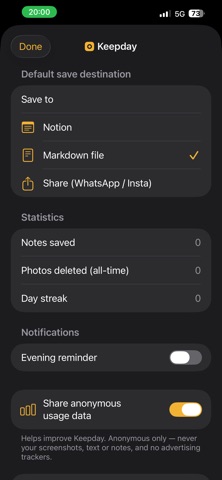
Your screenshots, recognized text, notes and dictation are processed on your iPhone and are never uploaded. No account. No ads. We collect only anonymous usage stats to make the app better — never your content, and never used to track you across other apps.

PERFECT FOR
- Creators and founders who screenshot inspiration all day
- Anyone with a camera roll full of "I'll look at this later"
- People who want a calm daily ritual instead of a cluttered library

Keepday — for people who think in screenshots.