Screen Translate lets you translate text from anywhere on your Mac.

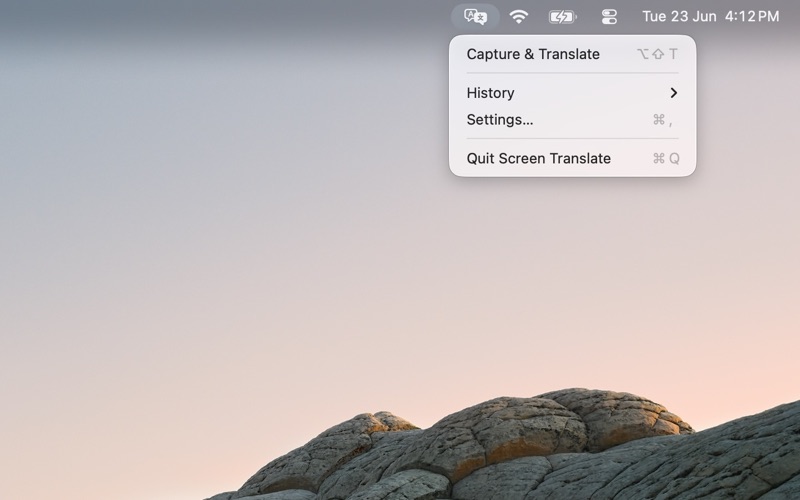
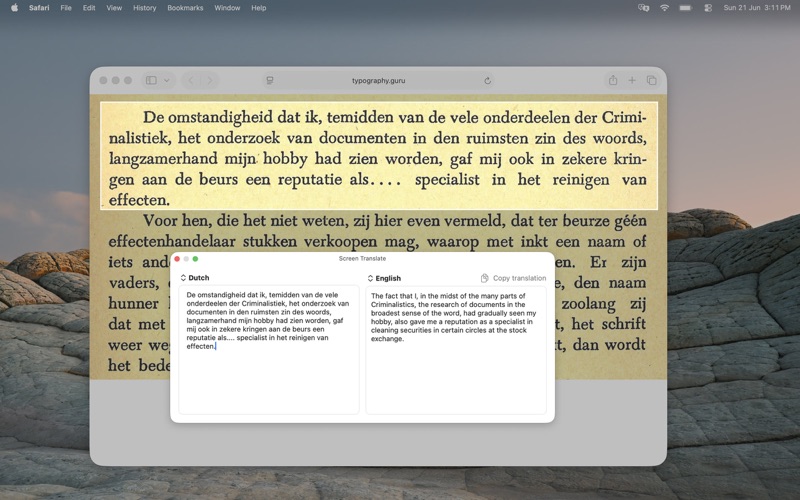
Select a region of your screen and view the result in a clean side-by-side window. The app recognizes the source language, translates into your chosen target language, and keeps the workflow fast with menu bar access and configurable global shortcuts.

Features:

  • Drag to select any screen region for translation
  • Automatic source language detection
  • On-device OCR using Apple’s Vision framework
  • On-device translation using Apple’s Translation framework
  • No internet connection required for translation after required language packs are installed
  • Clean side-by-side original and translated text view
  • Edit captured text and translate again
  • Configurable global hotkeys
  • Optional auto-copy to clipboard
  • Translation history for up to 20 recent translations
  • Menu bar and Dock controls
  • Launch at login

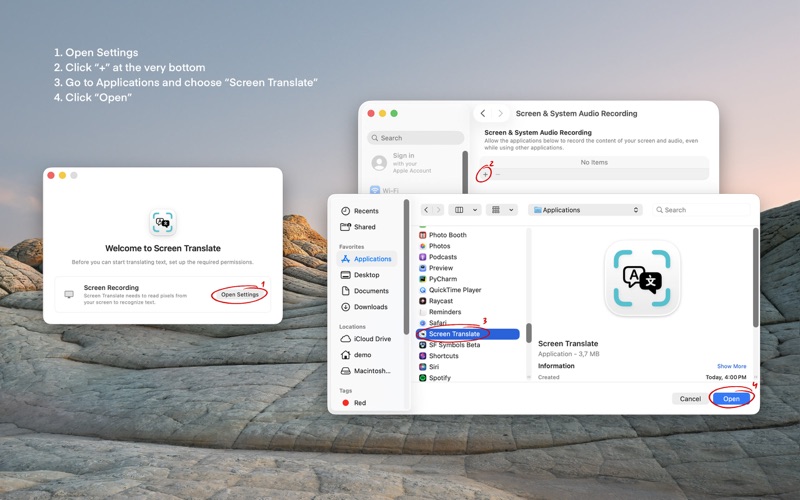
Screen Translate only reads screen content when you explicitly start a capture or translate selected text. Captured pixels are processed locally and discarded. Translation history is stored locally on your Mac and can be cleared at any time.