Expressions is a simple playground for building, testing, and exploring regular expressions on your Mac
Expressions is a simple playground for building, testing, and exploring regular expressions on your Mac.

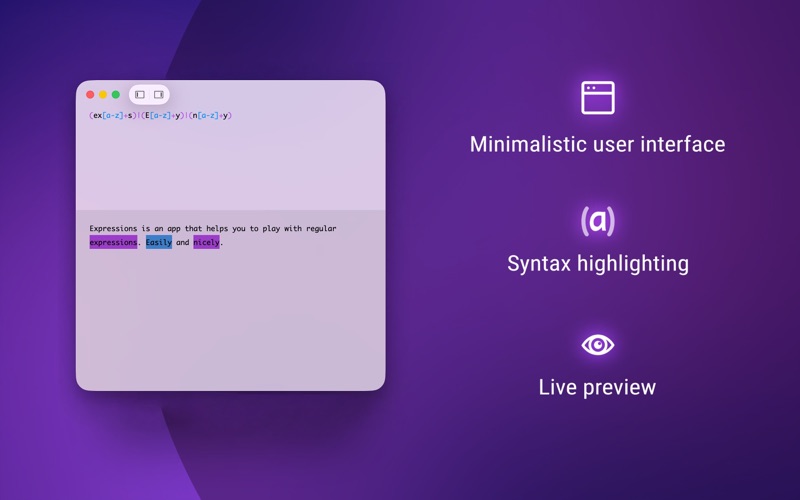
Type a regular expression, add some text, and see the matches immediately. Everything updates as you type, making it easy to experiment with patterns and quickly understand how they behave.

BUILD AND TEST REGULAR EXPRESSIONS

Write your regex and test it against any text in real time. Expressions highlights matches instantly, so you can quickly adjust your pattern and see the result.

CLEAR SYNTAX HIGHLIGHTING

Regular expressions can get complicated fast. Syntax highlighting makes patterns easier to read, understand, and modify.

WORK WITH GROUPS

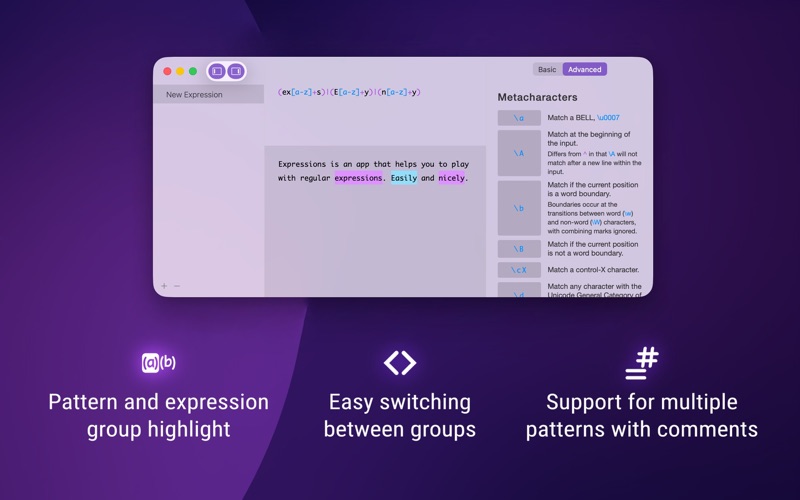
Expressions makes it easy to inspect groups within your regular expression. Use Command-Shift-] and Command-Shift-[ to move between groups and highlight their matches.

BUILT-IN REGEX REFERENCE

Can’t remember a particular part of the regex syntax? Press Command-R or open the built-in reference sheet for a quick reminder without leaving the app.

MADE TO STAY OUT OF YOUR WAY

Expressions has a clean, minimal interface designed to keep the focus on your pattern and test data. Choose between light and dark appearances, or use full screen when you want a distraction-free workspace or need to demonstrate a regular expression to someone else.

ICU REGULAR EXPRESSIONS

Expressions uses the ICU regular expression standard, the same regular expression syntax supported by Apple’s Foundation framework.

Whether you’re writing a new pattern, checking an existing one, or simply experimenting with regular expressions, Expressions gives you a fast and focused place to do it.